

Most in-house legal teams know the feeling: inboxes overflowing with attachments, redlines lost in endless email chains, and that nagging worry that something important slipped through the cracks.
To prevent costly mistakes that can arise from such disorganization, company legal teams are increasingly turning to management software like Filevine. Although Filevine may be best known as a litigation tool to help law firms prepare for trial, its AI-enhanced document management and contract review tools can save time and money across various industries.
In a recent product demo, Madison Doyle, manager of sales engineering at Filevine, offered a real-life scenario that the software can prevent. Before a real-estate company started using Filevine, its general counsel missed a lease renewal notice buried in email. The 60-day deadline came and went, leaving the company scrambling to argue its way out of an expensive move.
That case turned out fine, but the lesson was obvious—running legal operations from Outlook email chains is asking for trouble.
“It’s more than just a litigation tool,” Doyle said. “These same AI tools can be applied to so many other applications.”
Getting Started
Under the Project Hub, the user sees a repository of all the open projects they’re working on as well as their status. Click on the project name and a window opens to the right with vital information such as the contract expiration date and its latest activity.
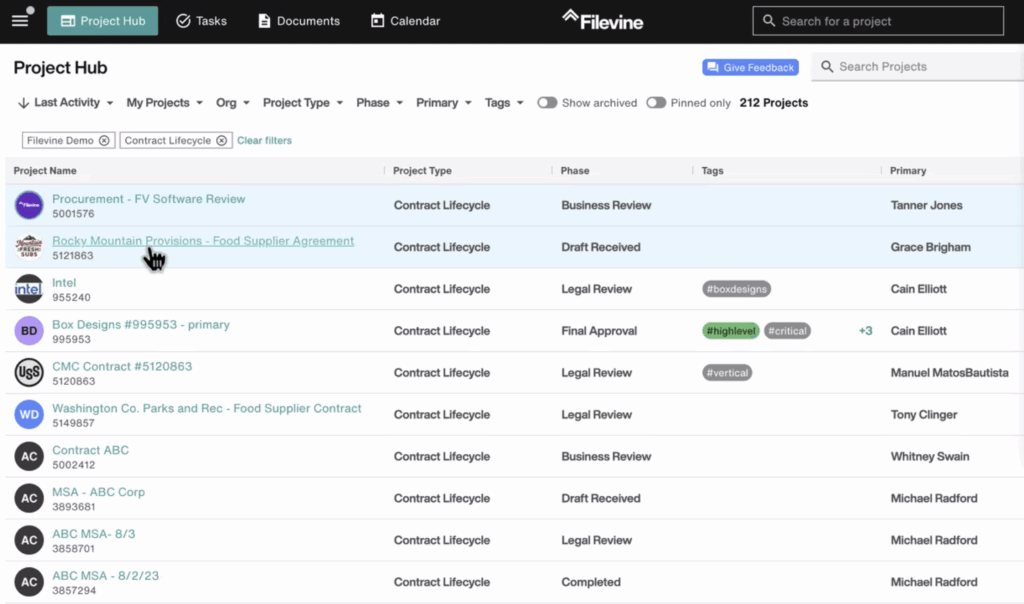
Users also can apply several filters to narrow down their search, such as by project type if they’re looking for an employment matter or by clicking a tag, which could be a signal from a higher-up to address something “#critical.”
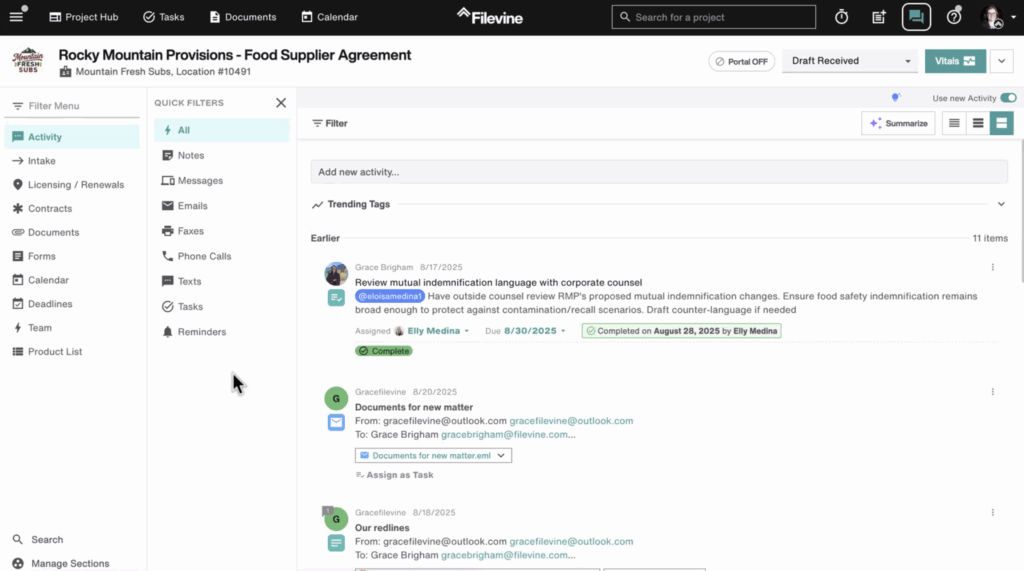
In each project, they can see not only the negotiation history, but also categories of activity and the documents that have been appended to it—email history, redlined versions, internal notes, and more, all in one space.
How It Helps With Data Intake
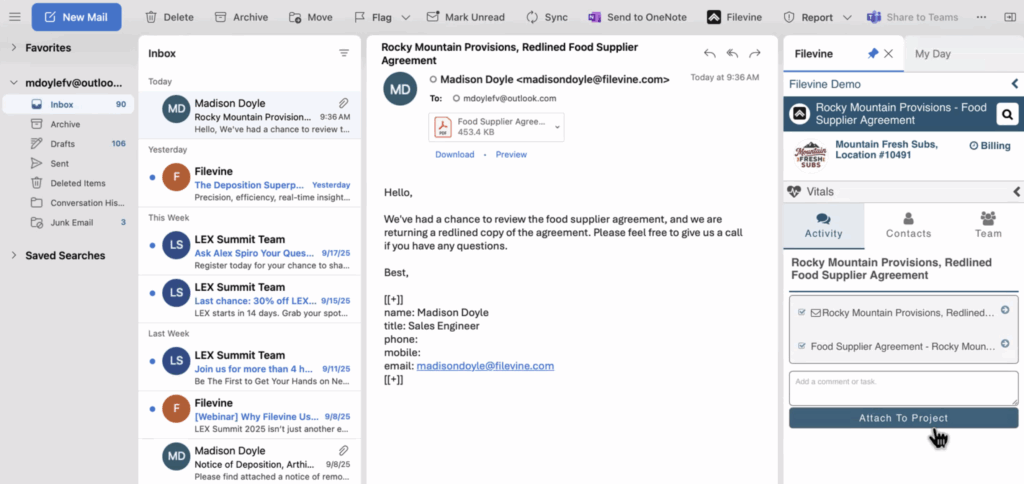
For most lawyers, the day starts in Outlook. That’s why Filevine built its most popular intake feature as an email plugin. It scans an incoming attachment, captures all its details and automatically populates the data into the correct field.
When the attachment is added to a project, the user can tag who needs to act on it to create a task in their workflow. The new attachment, the email and the task are all added to the project’s activity history in the Project Hub.
“I’m not trying to work in a silo,” Doyle said. “I want to make it so everyone on the team can help out.”
Legal teams that rely on Slack or Teams also can format Filevine to integrate their existing workflow into the system. So wherever the request originates, it flows into a structured central place.
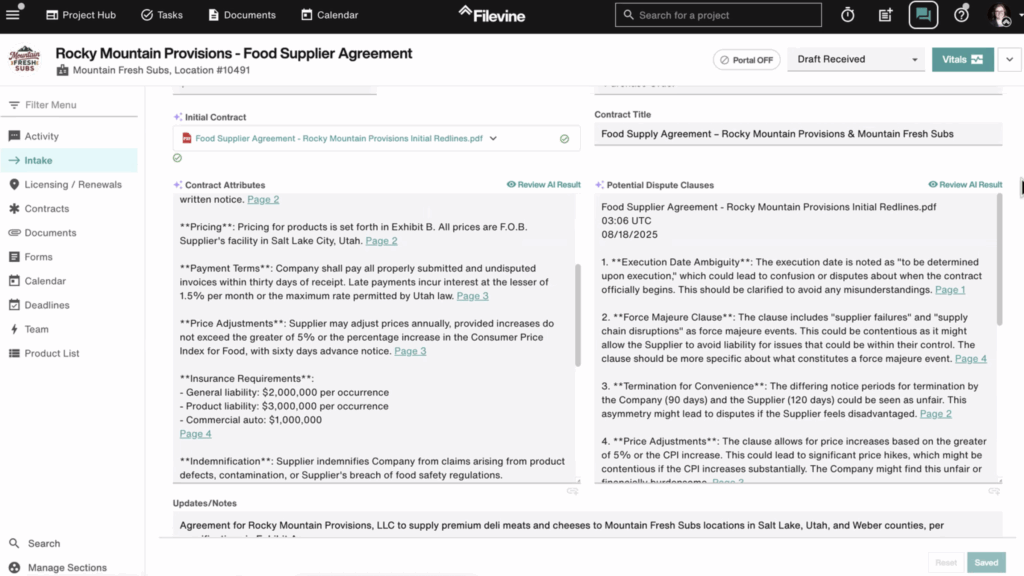
Once a document is uploaded, an AI tool automatically summarizes its attributes for a quick glance that can get a new associate up to speed. For an updated contract, for instance, it offers a sentence or two each about payment terms, insurance requirements, and indemnification, among others. Another panel highlights clauses with potential disputes, giving lawyers a head start in their document analysis.
Different versions of documents can also be easily compared side by side to see the latest changes.
“This is way better than how most groups do it, which really is, I create a Word document, I edit it, I send it to you in email,” Doyle said. “You open it up, you make a change, you send it back to me, and we keep doing that until we’re satisfied. That takes much longer.”
Besides taking much less time, Filevine’s system makes it easier to produce reports.
Boosting Your Document Management
The way documents have been traditionally managed in legal departments often meant endless hunting through folders for scattered versions saved on individuals’ hard drives. Filevine replaces all that with a searchable, collaborative repository.
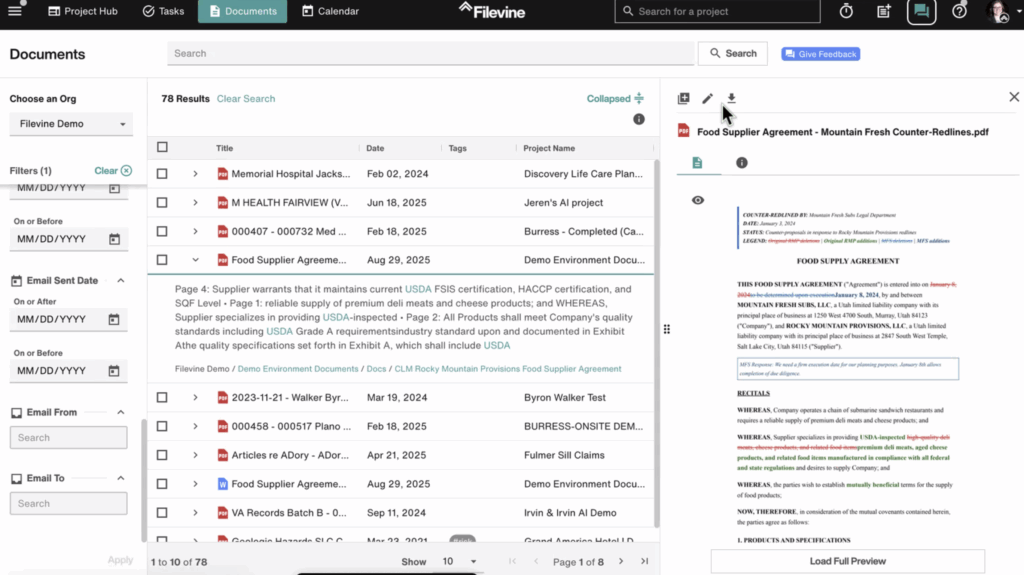
Every draft, redline, and related email lives in a single transaction space. They can be edited in the system or even in Word, and notes can be added to each revision (“sent to counterparty,” for example). Saving it automatically creates a new version in the system that updates for everyone, including the version history and track changes to ensure no one loses track of what was changed.
Because every document is indexed on upload, search works at the content level—not just file names. Need to find every contract with a non-standard indemnification clause? It’s a few clicks away.
For bigger matters, Filevine doubles as a secure data room. External parties can upload documents via password-protected links, without creating accounts or passing endless emails back and forth. With file limits as high as 50GB, storage is more than sufficient.
“When groups do this outside of Filevine, it’s very easy to lose track of which version you actually sent,” Doyle said. “Inside Filevine, I can always understand how a document came in, where it’s saved, and what the version history is.”
Draft Documents Faster with Customized Templates
On the drafting side, Filevine Document Assembly stands out. Legal teams can generate NDAs, MSAs or amendments from structured templates, with data fields flowing directly into the right spots. What makes FVDA different is its bi-directional sync. Change a variable—like an effective date—in one place, and it updates across the entire document and underlying database.
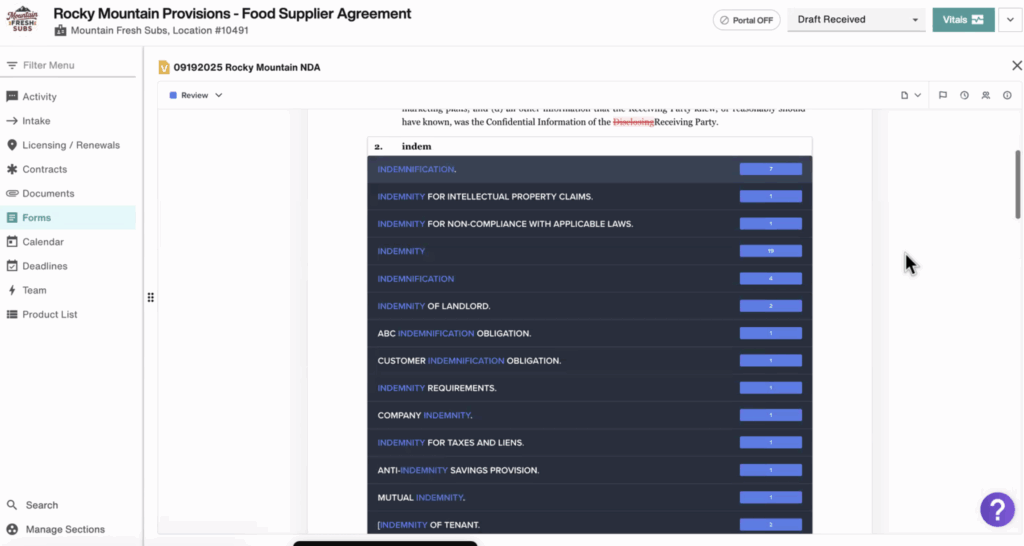
That ensures reports always match the right information.
Lawyers can generate boilerplate or tailored language with a click, then pull from a clause library of the team’s best past writing. If a user needs to adapt indemnification for a special client, for example, they can search the library to drop in the right version.
“All of that exists, but it can be enhanced by the AI to help perform at a higher level, and be more diligent in your work,” Doyle said.
Enhancing It All with AI
All of these features—intake, document management, and contract drafting—are valuable on their own. But they become even more powerful when layered with Filevine’s AI capabilities.
In one scenario, Doyle uploaded a supplier agreement and highlighted purple stars that mark where AI is active. Immediately, the system generated a summary of the contract and flagged potentially problematic terms—imbalances between parties, undefined provisions, clauses that fell outside the norm.
Cross-referencing is built in. Click a flagged issue in the AI report, and it jumps straight to the clause in the contract.
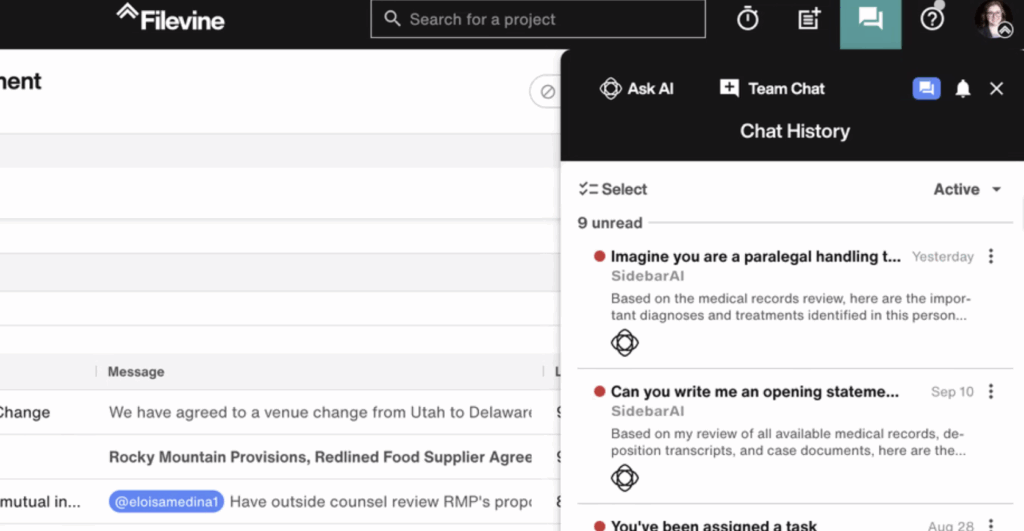
All the commands are managed from a chat window on the right that can answer questions and take commands in natural language. The history of all the requests is preserved so everyone on the team can see who did what.
“It’s a nice way to just know what’s in that repository that might sneak up on you,” Doyle noted, especially in contexts like M&A where dozens or hundreds of agreements come under review.
At modern in-house legal teams, people are under more pressure than ever to deliver more value with fewer people resources—and no tolerance for avoidable mistakes. Filevine enables the team to work together to streamline intake, organize documents, and free up time with AI-powered tools.
“We think this is more of the way of the future, instead of just passing the same Word document back and forth and letting chaos develop in your inbox,” Doyle said.