


Creating animated videos can seem intimidating, but it’s a manageable process when broken down into clear steps. First, you’ll want to plan your video by outlining your core message and writing a compelling script. Next, storyboarding allows you to visualize each scene, followed by choosing animation software that fits your skill level. Each of these steps is essential for developing a cohesive final product, and grasping them will set you up for success in your animation project. What comes next is equally important.
Key Takeaways
- Start with a clear script and storyboard to outline your animated video’s core message and visual flow.
- Choose appropriate animation software based on your skill level and project needs, such as Vyond for beginners or Adobe After Effects for advanced users.
- Design distinct characters and backgrounds that enhance storytelling and maintain visual coherence throughout the animation.
- Select a harmonious color palette and ensure audio elements are balanced, syncing voiceovers with animations for a polished final product.
- Test your animation with feedback from screenings, refining the script and visuals to better engage your target audience.
How to Plan Your Animated Video
When you plan your animated video, it’s vital to start with a clear outline or script, as this will help you define your core message and structure.
Begin by developing storyboards to visually break down each scene, which aids in planning camera angles and shifts that keep viewers engaged.
Next, create an animatic using your storyboards and placeholder audio to assess timing and pacing before full production.
Draft your voiceover narration early to clarify complex topics and streamline editing.
Finally, utilize feedback from test screenings to refine your storyboards and script, ensuring your animated video effectively communicates its message.
This structured approach is fundamental when learning how to create animated videos, how to create animations for YouTube, or how to create a cartoon.
Writing an Engaging Script


When you’re writing an engaging script, it’s essential to know your audience and outline your key messages clearly.
Comprehending who you’re speaking to helps you tailor your content effectively, ensuring it resonates with viewers.
Know Your Audience
How do you guarantee your animated video script resonates with your audience? First, you need to know your audience. Start with comprehending your audience’s demographics, interests, and preferences. This insight allows you to tailor your script effectively.
Conducting surveys or researching audience behavior can help identify the topics and tones that will engage them. Use relatable language and examples to make your script accessible. Structuring your script with a clear beginning, middle, and end assures your audience can easily follow your message.
Moreover, include a strong call to action at the end to encourage interaction. By utilizing an animated video service, you can learn how to create simple animation that reflects your audience’s values and needs.
Outline Key Messages
To create an engaging animated video script, it’s significant to outline your key messages effectively. Start by identifying your core message to align with your audience’s interests and the video’s purpose.
Next, create a logical outline that organizes your points for clear progression. Here are four vital steps to take into account:
- Define the main takeaway for your viewers.
- Break down your core message into digestible sub-points.
- Write in a conversational tone, using simple language and relatable examples.
- Incorporate visual cues to guide animation decisions, indicating moments for specific visuals.
Storyboarding Your Animation
Storyboarding your animation is crucial for visualizing your narrative and ensuring that each scene flows smoothly.
By breaking down your script into individual frames, you can clearly outline character positions, backgrounds, and actions, which helps with timing and pacing.
This structured approach not just streamlines the production process but also serves as a valuable communication tool among team members, minimizing misunderstandings before you start animating.
Importance of Storyboarding
As you begin an animation project, having a well-structured storyboard is crucial for success. Storyboarding helps you break down your script into individual scenes, enhancing clarity and flow in your animated corporate video. It allows you to visualize key elements, ensuring your audience remains engaged.

Here are four key benefits of storyboarding:
- Visualizes camera angles, character movements, and shifts.
- Aids in creating an animatic to assess timing and pacing.
- Serves as a communication tool among the production team.
- Saves time and resources by identifying potential issues early.
Using animation software or Adobe Animate video animation programs effectively can streamline this process, aligning your creative vision and ensuring a smoother production experience.
Visualizing Your Narrative
Creating a storyboard serves as a fundamental step in visualizing your narrative for animation projects. This visual representation breaks down your script into individual scenes, clarifying the sequence of events and actions. Each panel should include key elements such as character positions, backgrounds, and important dialogue to guarantee a clear vision. You can improve storytelling by utilizing different shot types and camera angles. Regularly revisiting and refining your storyboard throughout the animation process will help address any inconsistencies.
| Scene | Action | Key Dialogue |
|---|---|---|
| 1 | Introduce character | “Hi, I’m Alex!” |
| 2 | Character moves | “Let’s go on an adventure!” |
| 3 | Conflict arises | “What was that noise?” |
| 4 | Climax moment | “We must face our fears!” |
| 5 | Resolution | “We did it together!” |
This process is crucial for anyone looking to create an animated character or understand how to create cartoon animation, whether you’re working with an Animaker video creation company or on your own.
Timing and Flow
When planning your animation, grasping the timing and flow of your scenes is crucial for maintaining audience engagement. Effective storyboarding helps visualize the sequence of events, ensuring a structured approach.
Consider these key elements:
- Key Frames: Illustrate major actions and changes to keep viewers invested.
- Camera Angles: Plan various perspectives to improve storytelling.
- Transitions: Smoothly connect scenes for a cohesive experience.
- Animatic: Combine storyboards with rough timing and audio to assess pacing before production.
During storyboarding, pay attention to the timing of voiceovers and sound effects. This alignment enriches the narrative and addresses pacing issues early on, streamlining your editing process and resulting in a polished final animation.
Choosing the Right Animation Software

Choosing the right animation software can greatly impact your project’s success, especially since various options cater to different skill levels and animation styles.
If you’re a beginner, user-friendly platforms like Vyond and Animaker might be your best animation software free choices. For advanced users, tools such as Toon Boom Harmony and Adobe After Effects offer more robust features.
Consider the type of animation you want; for instance, Blender thrives in 3D animations, whereas Pencil2D is great for 2D projects. Assess specific features you need, like keyframe capabilities or vector tools.
Additionally, check for free animation software options and trial periods before committing, ensuring compatibility with various file formats for easy sharing on platforms like YouTube.
Designing Characters and Backgrounds

When designing characters and backgrounds for your animated videos, start by defining your character’s personality and traits, as these elements guide their visual identity.
You can use sketching software or traditional techniques to create various iterations, focusing on poses and expressions that best represent their characteristics.
For backgrounds, consider the setting and select color palettes and styles that not just complement your characters but additionally improve the overall mood of the scene.
Character Design Principles
In character design, it’s essential to start by defining a character’s personality and role within the story, as these elements greatly influence their visual traits.
To create compelling characters, consider these character design principles:
- Facial Expressions: Tailor expressions to reflect emotions aligned with the character’s personality.
- Color Theory: Use warm colors for friendly characters and cool colors for aloof ones to evoke the desired emotional response.
- Silhouette and Shape: Employ distinctive shapes—round for friendly and angular for antagonistic—to visually convey character traits.
- Character Turnarounds: Develop a style guide that includes character turnarounds to guarantee consistency across animations.
Background Creation Techniques
Creating effective backgrounds is crucial for improving the storytelling and visual appeal of animated videos. Start by sketching character concepts to establish traits that resonate with your audience.
Utilize animation software, like Adobe Illustrator, to create scalable designs. When designing backgrounds, make sure they complement the story’s theme, using styles that elevate the mood.
Layered backgrounds are particularly useful; they allow for parallax scrolling effects, adding depth during animation. Consider whether you’re working in 2D or 3D, as this affects the complexity of your designs.
Color Palette Selection
Selecting a color palette is a fundamental step in designing characters and backgrounds for animated videos. A well-chosen palette improves visual cohesion and engages the audience.
Here’s how to approach color palette selection:
- Choose 3-5 harmonious colors to create a balanced look that isn’t overwhelming.
- Apply color theory principles, using complementary or analogous colors to evoke emotions; for example, blue for calmness and red for excitement.
- Ensure contrast between characters and backgrounds so your characters stand out clearly.
- Utilize tools like Adobe Color or Coolors to generate palettes, ensuring consistency throughout your project.
With these tips, you’ll improve your animation download and learn how to create an animation using free animation software easy enough for anyone.
Techniques for Animation
Animation techniques vary widely, each offering unique methods to bring visuals to life.
2D Animation Techniques focus on creating characters and settings in a flat space, often using software like Adobe Animate or Toon Boom Harmony.
For a more immersive experience, you can explore 3D Animation Techniques, which utilize software such as Autodesk Maya or Blender to model characters in three-dimensional space, enhancing realism.
Motion Graphics combines graphic design with animation, using tools like After Effects to craft dynamic visuals that improve storytelling.
Furthermore, Rotoscoping allows you to trace over footage, frame by frame, to achieve realistic animations, often blending live-action with animated elements.
Each technique serves distinct purposes, so choose based on your project’s needs.
Adding Sound and Voiceovers

Once you’ve established your animation through various techniques, adding sound and voiceovers becomes a crucial step in enhancing the final product.
Follow these steps to effectively incorporate audio:
Import your audio files into Premiere Pro and organize them in the Fundamental Sound panel for easy management. Use the audio track mixer to adjust volume levels, ensuring your voiceovers and sound effects are balanced and clear. Carefully sync your voiceover with the animated visuals by aligning audio clips on the timeline, using waveforms for precise timing. Incorporate sound effects strategically to engage viewers, making sure they complement your animation without overshadowing the voiceover narrative.
Lastly, export your animated videos in the H.264 codec for peak quality and platform compatibility.
Editing Your Animated Video

Editing your animated video is a critical phase where you refine and improve your project to guarantee it resonates with your audience.
Start by enhancing your cartoon video with sound effects, music tracks, and voiceovers using Premiere Pro’s Vital Sound panel. This allows for better audio quality control.
To capture viewer attention, consider adding animated intros at the beginning. You can as well utilize animation presets and keyframe animation capabilities to create custom motion effects that align with your video’s style.
Make sure to synchronize audio with animations for a polished look. This attention to detail is vital for effective editing, whether you’re using a whiteboard animation maker or learning how to animate a video from scratch.
Exporting for Optimal Playback
To guarantee your animated video plays back effectively across various platforms, you’ll need to evaluate several key factors during the export process.
Here are four important steps for exporting for ideal playback:
- Codec: Use the H.264 codec for a balance between quality and file size.
- Resolution: Set your resolution to at least 1920×1080 pixels for Full HD clarity.
- Frame Rate: Choose 30 fps for standard videos or 60 fps for smoother motion, depending on your animation style.
- Bitrate: Target a bitrate of around 8 Mbps for 1080p videos to maintain quality without bloating file size.
Always preview your exported video for audio-video synchronization issues to guarantee a polished presentation.
This knowledge aids in perfecting how to make animations for YouTube with an ai animation generator from text.
Sharing your animated video on social media can greatly boost its visibility and engagement, making it a crucial step in your promotional strategy.
Start by choosing the right platforms; for example, use YouTube for long-form content, Instagram for short clips, and Facebook for a broader reach.
Optimize your video format according to each platform’s specifications—vertical videos perform well on Instagram Stories and TikTok.
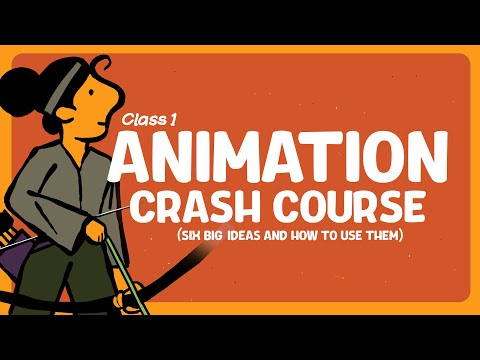
Improve your post with engaging captions and relevant hashtags to enhance discoverability.
Schedule your posts during peak engagement times based on analytics, as this can considerably increase views.
Finally, monitor engagement metrics like views and shares to evaluate your animated video’s performance, which will inform future content strategies and help you refine how to make cartoon animation.
Frequently Asked Questions
How to Make an Animation Video Step by Step?
To make an animation video step by step, start by defining your key message and target audience.
Next, craft a compelling script that outlines your narrative.
Once that’s done, create detailed storyboards to visualize each scene.
Then, design characters and backgrounds that match your vision.
After designing, use animation software to animate your scenes.
Finally, polish your video with audio and effects before exporting it for sharing.

This process guarantees clarity and engagement.
How to Create a Custom Animation With Step by Step?
To create a custom animation, start by brainstorming your concept and writing a detailed script.
Next, develop a storyboard that outlines each scene, including actions and changes.
Design characters and backgrounds using graphic software, ensuring they match your theme.
Animate your designs with tools like Adobe After Effects, applying keyframes for movement and syncing with audio.
Finally, review your work thoroughly, making adjustments before exporting in your chosen format.
What Are the 4 Stages of Animation?
The four stages of animation are conceptualization, design, animation, and post-production.
In the conceptualization stage, you develop the core idea and script that guide your project.
Next, during design, you create characters and backgrounds that visually represent your story.
The animation stage brings these designs to life through techniques like 2D or 3D animation.
Finally, post-production involves editing and adding elements like voiceovers and sound effects to refine the final product.
What Program to Use to Make Animated Videos?
To create animated videos, you have several superb programs to choose from. Vyond is user-friendly and offers templates perfect for business and educational content.
If you’re a beginner, Animaker’s drag-and-drop features simplify the process. For advanced users, Blender provides robust 3D modeling tools.
Professionals might prefer Toon Boom Harmony for its all-encompassing 2D capabilities. Finally, Adobe After Effects excels in motion graphics, allowing you to create visually striking animations with ease.
Conclusion
Creating animated videos requires careful planning and execution. By following the steps outlined—planning, scripting, storyboarding, choosing software, designing visuals, adding audio, editing, and exporting—you guarantee a polished final product. Each phase contributes to a cohesive narrative that effectively communicates your message. With the right techniques and tools, you can engage your audience and improve their experience. Remember, sharing your animated video on social media can broaden its reach, so consider your distribution strategy as well.
Image via Google Gemini